Blogger templates

Showing posts with label install. Show all posts

Monday, September 5, 2011

How to Install Google Chrome Themes Quickly - Tutorial

'Google Chrome' is getting Eminent day by day, any body who uses it 1st time becomes the default browser of his/her computer. The same happened with me and i till now use Chrome. You use chrome everyday, but same looking face for chrome is not good so i will give you guys a tutorial for 'how to install Google chrome themes'.
Steps for Applying Themes to Chrome:-

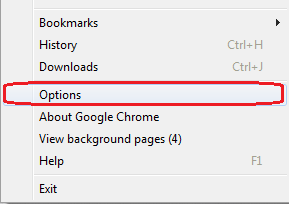
1)   Open your Chrome and click on 'settings' which is very right side of the page. Now you will need to click on 'Options'

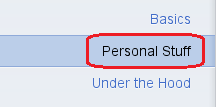
2)   As you press 'Options', a new tab will be opened on chrome. At the left side, the side bar on which click on 'Personal Stuff'.

3)   Now you will get all personal stuff such as passwords, sync's, autofill, browsing data and Themes. Now you will need to click on 'Get Themes'

4)   Now a new tab will open will all themes, you can search which theme you want for Chrome. Once you have selected then click on the theme and press 'Add to Chrome'.

That's it, you can change the theme any time, reset to the default theme. It's simple and unique tutorial. :)

Saturday, August 13, 2011

Install Windows 7 on a USB Drive - Tutorial

I used a 8GB Sony USB Drive for this exercise... but any one you find at wally mart will do.
First, you have to make your USB 'Bootable'.
>>>>You screw this up, you will be formatting YOUR hd and not the usb....<<
1. Open CMD with 'admin privileges'
type:-
diskpart
list disk
This will list your current drives, note the size of each drive. i have a 298g and a 7684MB option.. the second being my flash drive.

Next, Type:-
select disk 1
clean
create partition primary
select partition 1 (or which you one you want to put your windows 7 on)
active
format fs=NTFS
>>Coffee Break<<
assign
exit

2. Insert the Windows 7 bootable .iso disk, you should have made 

change the directory to where you windows 7 disk is;
Mine was E:\, While my Usb was H:\

type:-
e:\ (or your dvd drive leter)
cd e:\boot
bootsect /nt60 h: (h: being your usb drive)
Now all you do now is copy the entire windows 7 cd over to your usb drive and hoo-lah. windows 7... on a stick.

Few Notes:-
 
1.Yes, after writing this i realized i could have just mounted the .iso virtually and saved myself a nice dvd, but it was burned , so i used it.
2. You WILL NOT be able to access your C: drive as you do not have "Permissions" to do so, even in admin mode. now this is going to happen even if you install it on an extended partition, the only way to go around this is to just 'upgrade' your windows to 7 and hope its doesnt screw up.

addthis

Twitter Delicious Facebook Digg Stumbleupon Favorites More